Video marketing is an effective strategy in a marketing campaign as nowadays people like to absorb interesting and educative information in a video. That’s why marketers use this opportunity to introduce and promote their products on multiple platforms where videos have become popular.
In addition, research from Cisco has shown that video content will increase in popularity in the coming years occupying about 82% of internet traffic in 2022. There’s no denying that using this marketing tactic will help brands achieve their goals, specifically building an audience and generating sales.
The Benefits of Video Marketing in a Business
Capturing the audience’s attention is a part of how beneficial video marketing is for brands. In addition, with people getting accustomed to consuming video content, it becomes easier for businesses to introduce themselves in the online world.
Here are a few other examples of how video marketing can bring fortune to your business.
Drive website traffic
Using video marketing can help increase traffic because it is easy for visitors to watch it on different devices. Video can lead them to your website, which you want to increase your page’s traffic. This tactic will also help you improve your SEO.
With video marketing, more people are likely to share interesting content with their friends and family members. If they find a link attached to a specific video, Google considers this to indicate that the content is high-quality and just as if someone from another website has shared it. Thus, Google will display your site higher in search rankings because of this behavior from people sharing videos online, just as if the other websites have included a link backlink attached to a specific post or article written by you.
Build trust
Trust is an essential aspect of doing business. When you apply video marketing in your business, the chances are that people will have the opportunity to get to know you better through your content and how it is delivered. Brand visibility becomes easier since you can show more about yourself and tell a story behind what makes you unique and better than the rest of the competitors.
Save on costs
Video marketing enables businesses to save on their budget as they don’t need to spend much on creating new ads or commercials for each platform. People only need to watch one published video online, such as on YouTube, instead of scrolling down different posts or banner ads during their web browsing activities. Also, video marketing is known as an effective tool for businesses to use time efficiently without spending more money on marketing budgets.
5 Most Popular Types of Video Marketing Every Business Should Know
Explainer Videos
An explainer video is a short, high-quality video that advertises or educates customers on your product or service. It’s often the first step for someone looking to buy your product or service because they want to know more about it before entering negotiations. The key takeaways are simple yet straightforward descriptions of how it works, why it’s valuable, and how much it costs.
Product Demo Videos
Product videos or demo videos are perfect for explaining the benefits of your product. A demo video promotes your products and showcases their use in real-life situations while speaking directly to your customers.
Behind-the-scenes Videos
This type of video content allows you to share some insights into what goes on behind the company’s curtain. Candid scenarios, such as a scene while making a product, running through new features, or talking about how employees are doing inside the company, can attract people to watch the video.
Behind-the-scene videos are viral because they help people feel more connected with brands and make them feel like they’re part of something big. In addition, video can be beneficial if you need to build trust among potential clients.
Testimonial Videos
Customer reviews are critical for every business as they hold the power of influencing a buying decision. Testimonial videos will help you boost your credibility and customer engagement by reviewing your product or service.
Tutorial Videos
How-to or tutorial videos are crucial, especially if you have a specific process in place that shows the exact steps to create your product or deliver your service. Video is excellent for showing off the process of how things work either physically, logistically, or virtually. You can also show some behind-the-scenes footage regarding products in action while explaining their benefits in detail with a tutorial based on it.
Frequently Asked Question (FAQ) Videos
FAQ has been influential for businesses in helping customers find what they are looking for on your website. Therefore, it’s essential to include an FAQ section on your sit. Rather than urging customers to read a whole page about FAQs, you can provide a video about it instead. Videos help customers find answers to questions about the product or service offered quickly.
Conclusion
Businesses have used video marketing to help them achieve goals. Unlike any other content marketing campaign, you can quickly grab the audience’s attention through promotional videos. However, not every video can be a good marketing tool for your campaigns.
Make sure to use the type of video marketing that brands have implemented for years. This article should help you find the right content for you to recreate. Remember to make a compelling story to make your video successful. Good luck!
Andre Oentoro is the founder of Breadnbeyond, an award-winning explainer video company. He helps businesses increase conversion rates, close more sales, and get positive ROI from explainer videos (in that order).
With business, it always comes down to math. And the math speaks for itself – the more loyal your customers, the more likely they are to spend more, promote the brand, and skyrocket your revenue. According to the MIT Sloan Review, over 90% of businesses have some perks or loyalty program, and for a good reason – it can increase sales by up to 95%! Therefore, customer satisfaction isn’t just another business strategy – it is a mantra that every business should have.
Here, CAS Designs Network walks you through practical and implementable strategies to tap into customer loyalty and expand your reach.
Offer Personalized Communications
Many companies include birthday or anniversary forms when you’re signing up for their website. The structure is to send you triggered email programs with wishes and discounts during your birthday month or other important occasions. The philosophy behind this is simple – everyone loves to feel unique and valued!
Use Technology for a Seamless Experience
One easy strategy is to store customer data for a quick and seamless experience ensure clients don’t need to enter credit card data each time they check out or that their billing information appears immediately with the click of a button.
Automation is another small business essential – for example, redirecting known clients to a dedicated helpline for repeat customers or automating information about previous orders for easy access. These small touches go a long way when a client is considering repurchasing from you!
Appear Organized
While this is easier said than done, an organization is critical for every small business. Clients can sense chaos and disorganization in emails, communication, and website design, ensuring you’re on top of things to convey a positive brand image. One way you can do this is by forming a limited liability company, or LLC, for your Texas business so that you have fewer administrative and paperwork tasks on your plate. You can also reduce time and money by outsourcing the legwork to a formation service. Check out the rules in your state before proceeding, as they can differ from state to state.
Encourage Feedback
According to HelpScout, implementing feedback goes hand in hand with client loyalty. A prospective client can be motivated to buy from your store if you have more good reviews than someone else in your selling niche. You can do this by asking for reviews – and offering discounts or freebies in return. Send newsletter surveys that clients can fill out with rating systems (thumbs up/down, stars, etc.) to learn better what’s working well for your brand.
In a perfect world, every customer who uses your services is a repeat customer for life. Sadly, it doesn’t work that way – but these simple strategies will help you on your way. Use these clever tactics to boost customer experience and build long-lasting trust and loyalty today.
Having a well-designed, SEO-compliant website is key to attracting and retaining a solid customer base. CAS Designs Network specializes in developing state-of-the-art websites that encourage engagement, easy navigation, and conversions. Reach out to us at 817-975-6108 for your website design needs today.
With close to 3 billion active monthly users, Facebook is the biggest social media platform on the planet. That makes it a valuable channel for driving your business goals. After all, the key to successful marketing is to define your target audience and meet them on their favorite platforms.
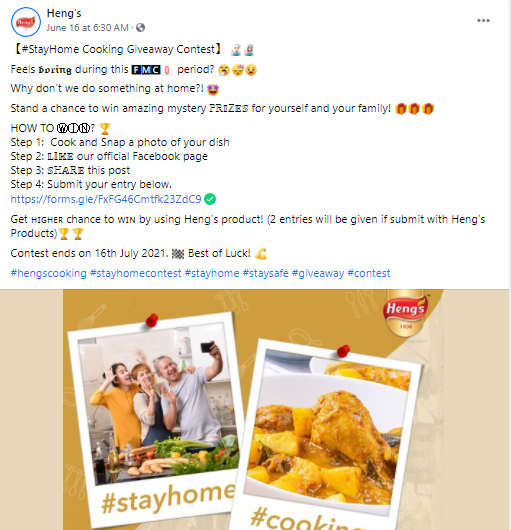
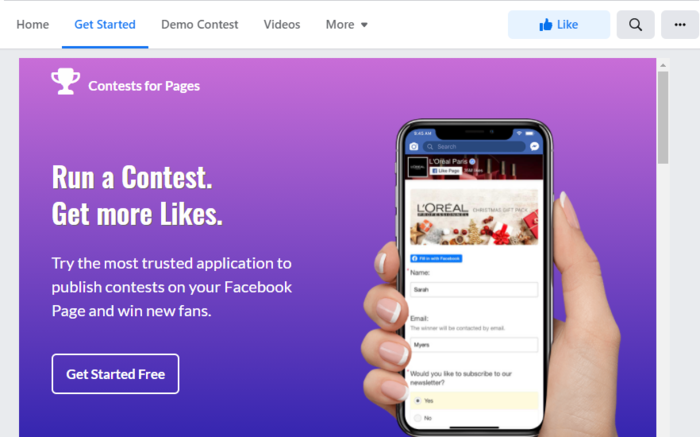
While not everyone is on Facebook, one thing is certain, it still is the world’s most popular platform. Whether you’re in B2B or B2C, you definitely should leverage Facebook’s multitude of features to market your brand and products. One Facebook marketing feature in particular that yields a good return is the Facebook contest feature.
Why Should You Create a Facebook Contest?
Facebook contests have been around for some time, but they’re still one of the best methods to grow an active audience and build meaningful engagement with your brand. Here are a few reasons why you should consider creating a Facebook contest:
1. Extend Your Reach and Increase Followers
One of the most significant benefits you’ll reap from running Facebook contests is that they’re an excellent way of extending your reach. Creating a contest your target audience engages with results in your contest and brand being shown to their networks. With the extended reach comes the added benefit of you gaining more followers.
2. Increase Brand Awareness
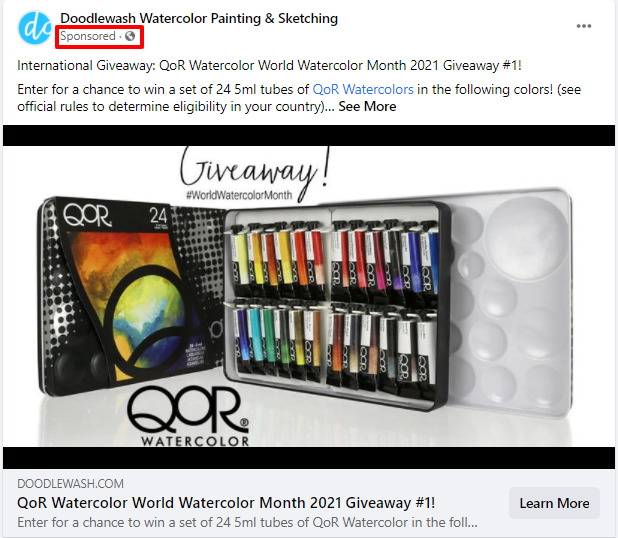
Another reason you must incorporate Facebook contests in your social media marketing strategy is that they are a great way to increase brand awareness. Whether you promote your Facebook contest organically, use paid promotion, or both it’s inevitable that you’ll reach people you couldn’t have otherwise reached. As a result, more people will become aware of your brand and product.
3. Get More Engagement
Facebook contests get more engagement than average posts for the simple reason that they’re a much-loved form of interactive content. People prefer interactive content over static content with 66 percent of marketers citing increased engagement rates after employing interactive content in their campaigns.
4. Provides a Data Collection Avenue
Effective marketing campaigns are data-driven. That’s because data enables you to gain a better understanding of your target audience, allowing you to create more personalized campaigns.
Running a Facebook contest is helpful in this regard as it provides an opportunity to collect data about your audience. Whether the contest is in the form of a quiz or simply an engagement-based contest, you still come out with a goldmine of data at the end of the day.
With these and more benefits, there’s no reason why you should ignore Facebook contests. They’re an excellent way to drive engagement and build an active audience for your business. Of course, they’re also an excellent way to raise brand and product awareness and thus drive sales.
How to Create an Effective Facebook Contest
Now that you’ve seen the value of Facebook contests, let’s quickly dive into how to create an effective one. Not all Facebook contests are created equal. Knowing how to create one that your audience will participate in is essential to the success of your campaign. Here are a few pointers to help you:
1. Determine Your Goals and How to Measure Results
The first step to creating an effective Facebook contest is to define your goals for the contest.
What do you want to achieve with your Facebook contest?
You can achieve a lot of business and marketing goals with a contest, a few of which can include:
market researchbrand awarenessdata collectioncrowdsourcing product developmentlaunch a new productbuild an email listdrive salesgather user-generated content
Determining the goal of your contest is essential as it will help you design one that’s best suited to help you succeed. It also helps you know which key performance indicators (KPIs) you should use to measure your contest’s success. Examples of KPIs you can use include:
number of participantslikesshares new followers gainednumber of clicks on your contestemail sign-upsreach
With your goals and KPIs determined, you’re ready to start designing your Facebook contest.
2. Select the Type of Contest You Want to Run
You’ve determined the reason for running a Facebook contest. Now the next step is to choose the type of Facebook contest that will help you achieve said goals. There are three main types of contests you can run on Facebook:
Giveaways
These are the simplest Facebook contest type and, as the name suggests, involve giving away a prize to the lucky participant(s) who enter the contest. Most giveaway contests require a participant to engage with a post (like, comment, or share) to enter.
Photo Contests
Photo contests are an excellent way of driving engagement and collecting user-generated content for your other marketing efforts. These usually involve picking a theme for your contest and asking your audience to post photos (preferably while using your product) in line with that theme.
Referral Promotions
Referral promotions require a bit more work to design and manage but they’re one of the best ways to generate leads for your business. Participants have to share (or refer) your contest with a friend or people in their network to enter the contest.
An effective Facebook contest aligns your marketing goals with the right type of content. To aid your decision, you must understand your audience and the type of contests they prefer.
3. Determine the Contest Rules and How You’ll Run It
Every contest needs rules to govern how participants enter. As you design your Facebook contest, you must pay careful attention to how you determine yours.
For example:
What actions must participants take to enter?Will you allow multiple entries?Is the contest open to all countries?What can constitute grounds for disqualification?Are there any age restrictions?
Remember, you’re not running a contest just for the fun of it. You’re running your contest to benefit your business. As such, the rules you set for your contest must help you with that. They must be aligned with your goals.
The rules of your Facebook contest will also determine how you will run it and the kind of data you will collect. Examples of how you could run your contest include:
Designing a funnel that requires participants to submit their email addresses or other data.Using a Facebook messenger bot to lead users to an opt-in page where they perform the required action to enter the contest.Using engagement as a means to declare their participation in your contest. This could be anything from tagging friends to following your account and everything in between.
Besides setting rules for entering the contest, you must also determine how the winning participants will redeem their prize.
4. Choose the Right Prize
One of the fundamental pillars of an effective Facebook contest is the prize you’re offering. Hallmarks of the perfect prize include:
Personalized. Your offer must be something that your target audience is interested in. It must not appeal to people who aren’t your target audience.Product-related. To ensure your contest helps boost your business, your prize must be tied to your core business. For example, if you’re a dentist, offering cutlery as a prize won’t help you reach your ideal customer.Pain point specific. Understand your ideal customer’s pain points and tailor an offer designed to address one of them. Doing so will help direct participants to your other product offerings.
Choosing the right prize for your contest is crucial to ensuring higher engagement rates. It also ensures most participants fit your ideal customer profile (ICP).
5. Design Your Facebook Contest Page
With so much content being published on Facebook, it can be easy for people to miss your contest as they scroll through their feeds.
To improve the chances of your contest being seen, your design must be optimized for visibility. Here are a few tips to help you do that:
Write an Attention-grabbing Headline
The headline is the first thing users will see. Make it stand out by using descriptive language. Also, ensure it paints a picture of the benefits of winning the prize.
Invest In Professional Images
Invest in professional eye-catching images. Images play a great role in stopping users from scrolling. They’re also helpful in quickly conveying your message.
Write a Brief but Detailed Description
Give users all the information they need to get excited about the contest. Your description must also explain how to enter the contest. The best way to format your description is to use bullet points.
Use a Simple Form
Make it as easy as possible for your interested parties to enter your contest. If you’re using forms, make them simple—don’t ask for too much information. Complicating the sign-up form will negatively impact your conversions. The only exception to this rule is if you’re offering a huge prize that’s worth the effort.
Design a Prominent Call-to-action
Your call-to-action (CTA) must not only be prominent but it must be clear what the next step to be taken is.
Besides these best practices for designing an effective Facebook contest page, you can also consider other optimization options. A typical example would be to use a countdown timer to add urgency.
6. Promote Your Contest
Your Facebook contest’s main goal is to grow your audience and increase engagement with your brand. To do that, it must reach as wide of an audience as possible.
That’s why part of your Facebook contest creation process must include a promotion strategy.
A few Facebook content promotion tips you can employ include:
Paid ads: Organic reach can only get you so far. To reach a wider audience, leverage Facebook ads to promote your contest. You can also use retargeting to advertise your contest to people who’ve viewed your content.Share it with your email list: Promote your Facebook contest to your email list to ensure maximum participation. It also helps you keep your subscribers engaged.Spread the word on other social media channels: Leverage your other social media platforms to spread the word about your contest.
With your contest in front of the right audience, you can expect high participation rates.
7. Choose and Announce the Winner
All good things come to an end, including your exciting Facebook contest. You need to wrap it up by picking and announcing the winner. You have two options when it comes to picking a winner:
Randomly picking a name: Randomly picking a name is the best way as it’s impartial. Use tools like Random Name Picker or Comment Picker to make it easy. Selecting the best candidate: This works best if you set specific criteria for your contest. However, make sure to explain how you came up with the winner and why.
Once you’ve picked your winner, you must announce them on your Facebook business page and other channels you promoted the contest on. Bonus points if you can make it a Facebook Live event.
8. Follow Up After the Contest
Picking the winner of your Facebook contest is not the end game. The end game is growing your business. That’s why you must have a follow-up strategy. One of the best ways to do this is to send out an email to participants offering them a discount on your products as an appreciation for participating in your contest. Nurture a relationship with the people who participate in your contest and you’ll be able to turn them into loyal customers.
Facebook Contest: FAQs How do I increase engagement on my Facebook contest?
People love personalized content. To increase participation, ensure you know your target audience and create a contest tailored to them.
How do I know if my Facebook contest is a success?
Always set goals for your contests and determine the KPIs you’ll use to gauge the effectiveness of your contests.
Are Facebook contests worth the effort?
Executed well, a Facebook contest is a cost-effective way to achieve many business and marketing goals. Yes, they’re definitely worth it.
How can I ensure my Facebook contest reaches a large audience?
Promoting your Facebook contest is a critical part of running a successful contest. Make sure to promote it on all your other channels and platforms.
Facebook Contest Conclusion
Looking for interactive content that will help you grow your audience and drive engagement with your brand?
Then you must consider running a Facebook contest. With added benefits like lead generation, a boost in sales, and much more, including them in your online marketing strategy is a no-brainer.
Executed well, your Facebook contest is an excellent way of getting ahead of your competition.
What has been your experience with Facebook contests as a marketing strategy?
Reddit is a social networks and news aggregation site that ranks material based upon a ballot system. Individuals around the world post material (generally links, however likewise initial material), and other users can ““ upvote ” or “ downvote ” posts, pressing the most intriguing material to the top.
.
It ’ s a location where you can discover groups of similar individuals. Reddit calls these groups subreddits, and they cover various subjects, consisting of specific niche interests, politics, pastimes, and countless other subjects individuals wish to discuss.
Since its launch in 2005 , the website has actually turned into one of the most popular social networks websites with countless month-to-month active users.
Its engaged, enthusiastic neighborhood is simply among the factors you need to think about marketing on Reddit. The website has a hard position on self-promotion , which makes marketing difficult, and it’’ s simple to fall nasty of Reddit’’ s stringent standards (consisting of the unwritten guidelines.
That indicates you require to take a more tactical method that concentrates on discussions and supplying fascinating or valuable material.
Before we cover how to develop advertisements, let’’ s talk about Reddit marketing rules so you can get it.
.Reddit Marketing Etiquette.
Start with the essentials by checking out Reddit’’ s page about self-promotion and what ’ s permitted and what’isn ’ t. When you’’ ve check out that, take a look at “the “ Reddiquette ” page so you can see Reddit ’ s primary guidelines.
.
The list consists of:
.When sharing storieslooking out for replicate content prior to postingbeing thoughtful in the method you speak to other usersreading the complete standards for a neighborhood prior to contributing, utilizing initial sources.
You likewise require to be clear about why individuals utilize Reddit. According to Signity Solutions, Reddit users are trying to find responses or home entertainment. If you can use either, then it ’ s worth adding to the discussion. Simply wear ’ t shot and offer anybody anything.
.
If you require concepts, there are a lot ofmethods you can prevent falling under excessively advertising product, like:
. publishing study resultscreating subreddits around your brandadding appropriate contentbeing active in the Reddit neighborhood.
Reddit is an enormous website with countless subreddits. Each of those subreddits has its own guidelines, mediators, and culture. Whichever subreddit you sign up with, make the effort to acquaint yourself with the sub ’ s rules and what ’ s appropriate.
.
Above all, if you ’ re unsure, ask prior to publishing something. Redditors’exist to assist and assist users.
. Reddit Advertising Policies.
Reddit ’ s marketing policies cover quality, design, URLs, and landing pages. Below are the essentials you require to understand for each area.
. Video Advertising.
Video ads should be high quality.That uses to the audio, visuals, and text. Make certain material is ideal and appropriate for a larger audience. The spoken language must be targeted for where you ’ re marketing.
.
Reddit enables mature-rated media. , it needs requires comply with the relevant pertinent score for each countryNation and videos containing Consisting of ldquo; shockingStunning graphic, or profane content Material rdquo; should need to labeled.
.
Additionally, Reddit doesn ’ t license videos that consist of strobing or flashing.
. Reddit Advertisement Style Policies.
Reddit worries the value of professional-looking advertisements that are in-depth and succinct. The primary takeaways are:
. Examine advertisements for any typos and utilize appropriate grammar throughout.Limit making use of emojis and symbols.Unless mandated by law or a regulative body, wear ’ t consist of individual information in your ads.Limit capitalization to 50 percent or’less.Use quality images.Target non-English advertisements to the suitable regions/countries. Reddit Advertisement Quality.
Quality mainly connects to precision and clearness about the products/services you ’ re marketing. That indicates:
. not misrepresenting the item, service, or brandads ought to prevent clickbaitadvertisementsmustn ’ t promote specific Reddit material; the only exception is if you ’ re utilizing handled advertisements’URL and Landing Policies.
As with all of Reddit ’ s promoting policies, the primary focus is on quality and consistency. Ensure your:
. item reveals on the landing pagelanding page material abides by Reddit ’ s material and marketing policieslanguage on the landing page is the exact same as in the advertsthe landing page doesn ’ t spam users or utilize other doubtful marketing tacticsURL follows the landing pagenot making limited/prohibited items easily offered or connecting them on your landing page.
Perhaps you ’ re not rather prepared to devote to paid marketing. That ’ s OK. You can utilize some methods to begin marketing’on Reddit without paid advertisements, like those noted below.
. Utilize a Personal Account.
Rather than utilizing a service account, you might establish an individual account.From there, you can start engaging with the neighborhood by addressing concerns and publishing content associated to your specific niche. This is a method of revealing your know-how and getting traction on the website while preventing self-promotion.
.
It ’ s the favored method of Beardbrand ’ s Eric Banholtz, who has actually drawn in more than 600 members into his subreddit.
.
Beardbrand tends to publish YouTube material like:
. The Top Ten Best Beard Transformational TrimsThe Best Way to Fade Your Beard at HomeWild Beard GetsShaped to Perfection.
You understand.
.
In keeping with Reddit standards, there ’ s no advertising material. The account is simply a method of sharing appropriate news and touching base with subreddit members.
. Ask Me Anything.
There ’ s a subreddit called “ Ask Me Anything. ”
Members of the neighborhood publish a big range of posts on almost every subject you can picture. One post is from a female player, while AMA is an individual who had the very same lunch every day for the last 16 years.
.
Basically, you publish a subject and welcome others to ask you anything.
.
Although routine members greatly utilize the neighborhood, you needn ’ t believe you wear ’ t have alocation there as an entrepreneur or online marketer. The subreddit likewise brings in members from business world.
.
One heavy player who makes the periodic look is Microsoft ’ s Bill Gates . It ’ s been some time because Gates contributed, there was big interest when he did, consisting of plenty of upvotes and lots of interaction.
. Start a Subreddit.
A popular method for organizations to remain on the ideal side of Reddit ’ s guidelines is to begin a subreddit for their brand name. Here, you can engage with your consumers, address any concerns about your business, and share market news.
. If you intend to motivate engagement and construct relationships with potential customers, #ppppp> This is an excellent technique.
.Paid Advertising on Reddit.
Reddit is frequently neglected by online marketers, however with 52 million daily active users, and high levels of engagement, online marketers shouldn ’ t neglect the website.
Year on year, Reddit ’ s active users continue to grow. It looks like Reddit ’ s here to remain, and the capacity is huge for those that get their marketing.
.
It ’ s likewise popular amongst more youthful age , so it ’ s a dazzling method to connect to more youthful potential customers.
. What Are the Different Types of Reddit Ads?
There are 2 primary kinds of’advertisements on Reddit. The very first is promoted advertisements, which you ’ ll see usually. Reddit shows these at the top of subreddits.
.
The other type is display screen advertisements. Reddit uses other kinds of marketing’, like video and carousel, which we information listed below.
. 1. ShowAds.
These are the most typical types of ad on the website. With display screen advertisements , you ’ re not simply restricted to sharing your posts. You can publish a consumer story that relates to your brand name.
.
You can select from CPM, CPC, or CPV advertisements, and these are all offered as auctions through the Reddit Ads Dashboard.
. 2. Show Ads.
Reddit intends to show advertisements at larger business with bigger spending plans. Unlike promoted advertisements, these aren ’ t self-serve, and you require to speak to Reddit ’ s sales group. You require a minimum spending plan of$ 30,000.
. 3. Promoted Video.
These are offered as CPM and CPV quotes. Functions consist of an optional call and an auto-play video to action’button.
. 4. Promoted Carousel Ads.
Promoted Carousel advertisements enable as much as 6 images/gifs, and the quote types are CPM and CPC. Reddit reveals these advertisements in users ’ feeds.
.
For higher exposure, Reddit likewise provides takeover items. You can see the total requirements for each kind of advertisement and the functions supplied on Reddit .
. Examples of Great Reddit Ads.
Before diving and developing your own Reddit advertisement, let ’ s take a look at a couple of examples.
. Nordstrom Reddit Advertisement
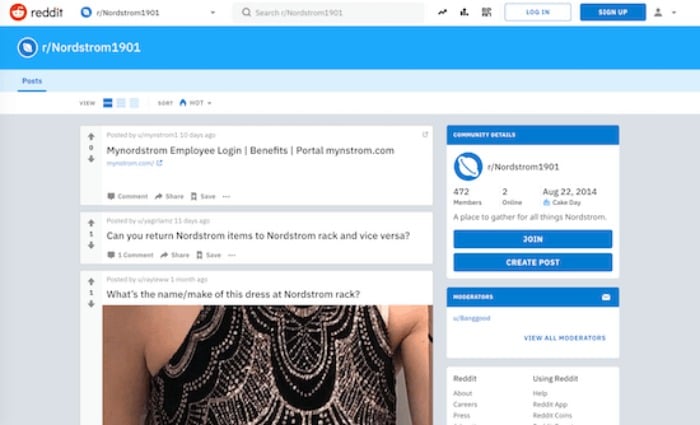
Department shop Nordstrom utilizes Reddit in such a way that almost everybody can embrace. It remains on the best side of Reddit ’ s robust standards by utilizing subreddit groups to speak with consumers and talk about items, general service, and normal client experiences.
.
It ’ s clear Nordstrom is playing the long video game with its Reddit marketing technique. Its technique isn ’ t most likely to amass over night outcomes. It ’ s a method that works for the brand name, and it has actually got hundreds of Reddit users keen to connect with them.
.
’If consumer engagement is important to you and you ’ re utilizing it as a foundation for your organization, the Nordstrom technique might be the method to go.
. Ally Bank
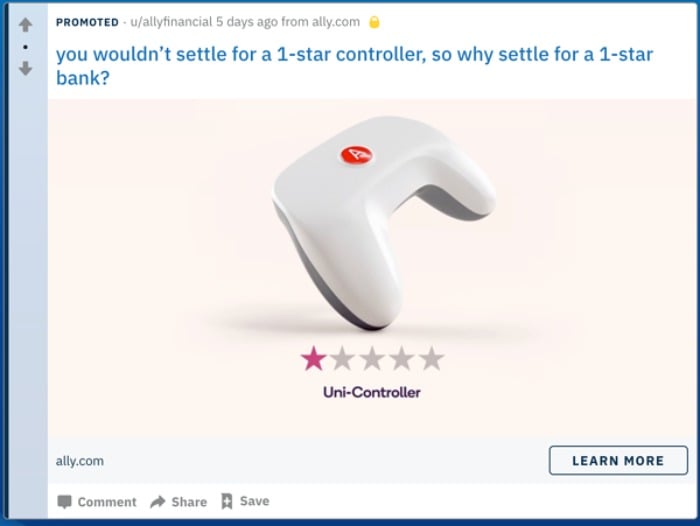
Ally Bank attempted to be various with its marketing . Instead of publishing in a monetary subreddit, it connected to Reddit ’ s huge audience of computer game fans.
.
How did it link the dots in between the 2 subjects? With a basic’one-liner that required attention:
“ You wouldn ’ t go for a 1-star controller, so why choose a 1-star bank? ”
“Ally Bank kept away from the conventional banking advert since it was interesting a non-traditional audience.
.
You can quickly utilize this method. Instead of restricting your marketing to your normal market, think of how you might win and reach various groups over customers that you mightn ’ t typically market to.
. Maker ’ s Mark
Maker ’ s Mark took a more direct method of targeting the Reddit neighborhood through the r/ads subreddit.
.
Its “ Let it Snoo ” tagline was a play on words around Reddit ’ s mascot, Snoo, and it intended to make the audience laugh instead of anguish at the sight of an advert.
.
Maker ’ s Mark took care to customize the nature of its advert to the normal Reddit user and spoke to them in a design the Reddit audience would invite.
.
That ’ s the secret: Always target your audience in the design and the language they ’ re most comfy with.
. How to Build Your Reddit Advertising Campaign.
Setting up your very first Redditproject might take a while, however with lots of comprehensive step-by-step guidelines, you ought to discover it simple enough. Here are the fundamental actions for getting going, however constantly inspect Reddit if there ’ s any part you ’ re unsure about.
. Determine Your Target Audience.
If you ’ re unsure how’to limit your specific niche, here are a couple of tips:- Create a client avatar or profile of your common client. You can utilize the information you currently need to do this.- List any of the qualities and demographics that you feel represent them. For concepts, you can discover the essentials online to get started.-Understand your demographics ’ discomfort points and how your products/services can assist. Keep your client profile in mind whenever you develop brand-new marketing products and market to your normal client.
. Collect Supplies.
Before you begin crafting your advertisements , have actually whatever arranged. In addition to being clear about your objectives, and how you ’ ll step results, you require:- visuals-copy-destination links-target keywords-ad trackers-credit/debit card- registration details-other imaginative contentNow let ’ s begin developing your project!
. Produce Your Campaign.
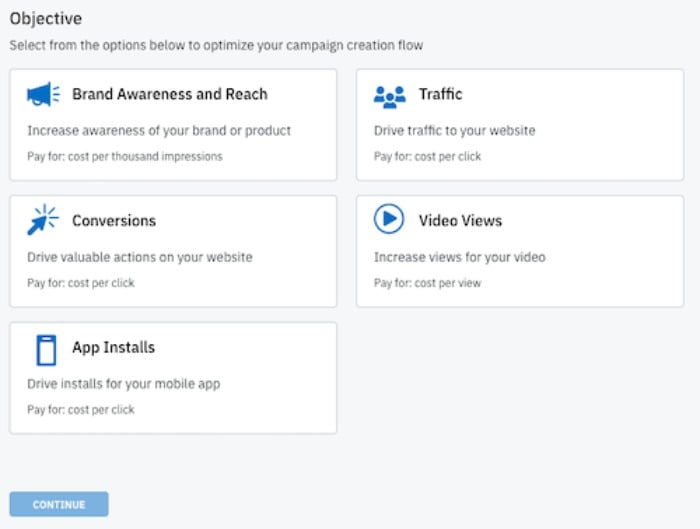
1. Check in with your normal Reddit information at ads.reddit.com, which will takeyou to the “ Create Campaign ” page.2. Provide your project a name in the “ name ” box.3. Pick your payment choices. Reddit accepts charge card for self-serve marketers. Select your goal from the list. There are a number of you can choose from. “, constructing awareness, conversions , video views, or app installs.
. Develop Your Advertisement Group.
Creating your advertisement group needs a couple of actions. : Segment your projects: Begin by segmenting your projects to make it simpler to track efficiency. Due to the fact that of its second-price auction design, reddit recommends exploring with bidding for the various projects. Think about segmenting based upon gadget or area. Reddit recommends each advertisement group ought to have a$ 50 day-to-day budget.Give your advertisement group a name: Advertisement group names make it clear what the advertisement is targeting. Select your advertisement positioning: Next, choose if you desire your promoted posts appearing in feeds or discussions. When marketing in feeds, your advertisements appear in the house, popular, and neighborhood feeds. Discussion advertisements appear when users are talking about particular Reddit posts.Define your audience: This is your targeting requirements. You can target advertisements in a number of methods, consisting of by place, neighborhoods, and devices.Set your schedule and budget plan: Reddit uses an everyday or a life time spending plan, which enables you to define a particular date variety. Now pick your quote. Reddit utilizes a second-price auction design for bidding and doesn ’ t assurance impressions. Reddit states impressions depend on targeting, your quote, and Reddit traffic.
. Develop Your Reddit Advertisement.
1. Get in the name of your advertisement in the “ Advertisement Name ” box.2. Include third-party trackers. Reddit has a list of authorized ones, consisting of Comscore, Appsflyer, and Adjust.3. Include impressions and click trackers, followed by the macros. 4. Consist of some creatives. You might compose a brand-new blog site post or promote an older one.5. Develop a call-to-action button.6. Preview your advertisement. 7. Now, you ought to see an evaluation button. Click this and examine your advertisements, making any edits if needed.For fuller info, checked out Reddit ’ s pages.
. Regularly Asked Questions About Marketing on Reddit Can you self-promote on Reddit?
Like a lot of other online neighborhoods, Reddit takes a dim view of self-promotion. Anybody who utilizes Reddit simply for marketing functions ought to see the Reddiquette pages and FAQs to comprehendwhat ’ s allowed.It ’ s likewise worth checking out the FAQ page on spam.
. How do I market on Reddit without getting prohibited?
Start by checking out the FAQs and Reddiquette. If’you wish to consist of links to a blog site, for instance, then the material you ’ re sharing need to be handy and in context with the basic topic.This conversation information an ideal method to share links.’Ask the admins of subreddits if sharing a link is OKAY, and construct a excellent credibility or “ karma ” on the website prior to believing about how you can utilize Reddit for marketing.
. Just how much do Reddit advertisements cost?
Reddit bases its marketing expenses on auctions. It sets its rates at$ 5 a day minimum, and expenses differ considerably from 20 cents per 1000 impressions to$ 100.
. Online marketer ’ s Guide to Reddit Conclusion.
Reddit is a special platform with countless active users. It may look like the perfect location to promote your company, you might get prohibited ( or mocked) if you aren ’ t mindful.
.
Although Reddit is harder on self-promotion on other platforms, that doesn ’ t mean online marketers ought to stay away from it entirely. Offered you stay with the guidelines and put on ’ t roaming into being or spamming “ salesy, ” you have the chance to grow an eager, engaged following.
.
With hundreds and countless subreddits, there ’ s bound to be one that fits your brand name, whatever specific niche you ’ re in, no matter whether your company is brand-new or developed.
.
Reddit is likewise a great method to get feedback and ideas from your clients and learn more about them much better.’
.
Do you promote on Reddit? What suggestions do you need to share?
Disclosure: This material is reader-supported, which implies if you click a few of our links that we might make a commission.
Here’’ s some excellent news– you can get a site up and running without investing a penny.
Yes. Free webhosting exists, and I’’ ll reveal you how to get it.
.
You ’ ll have the ability to release a site with a couple of clicks, however put on ’ t anticipate anything elegant.
Some of the compromises with complimentary webhosting consist of: advertisements on your website (that put on’’ t make you cash ), a cap on just how much traffic you can get, unexpected downtimes, and little to no consumer assistance.
There’’ s some truly fantastic inexpensive webhosting alternatives that will assist you develop a website without tradeoffs for a couple of dollars a month.
.
But if you truly require a 100% totally free webhosting option, have a look at my suggestions listed below.
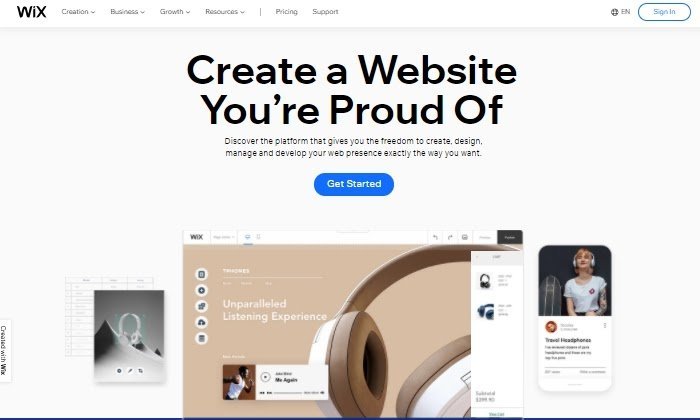
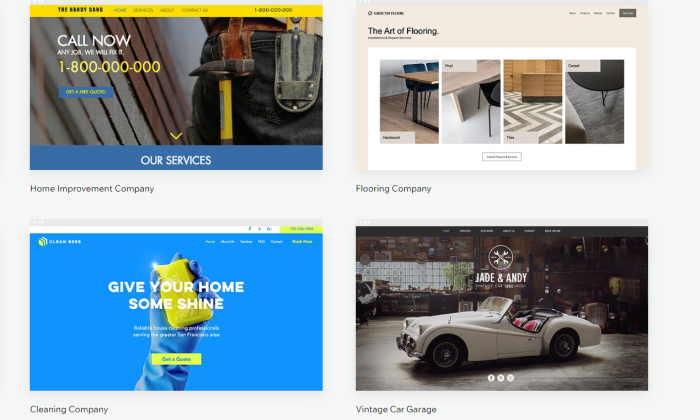
. # 1– Wix Review– Best Free Web Hosting With Website Builder
When it pertains to developing an easy blog site or an online portfolio that highlights your work, Wix is the very best user-friendly site home builder you can depend on.
.
With the assistance of its easy drag-and-drop user interface, you can produce a basic site in minutes. Wix looks after your site through totally free hosting so long as you wear ’ t mind having Wix brand name advertisements showed on your pages.
.
And if you put on’’ t wish to develop your own website, all you require to do is respond to a couple of concerns. The platform ’ s Artificial Design Intelligence (ADI )will then immediately produce a site with a style based upon the responses you provide.
.
You ’ ll get a fantastic looking page in a couple of minutes, and from there you can tweak it the method you desire. Modifying within Wix is simple, and you ’ ll be amazed at the number of choices you have.
.
Although complimentary accounts can just utilize the Wix subdomain, there suffice apps and design templates you can pick from to include a bit of individual touch to your site.
.
Should you choose to produce a site with Wix, you will get a storage area of 500 MB and a bandwidth of 500 MB, enough for a low-traffic website like an online portfolio.
.
If you desire more versatility, you can update to superior strategies anytime to gain access to customized e-mail, ecommerce, and domain functions.
.
Premium strategies likewise remove advertisements so your site will look more expert and less cookie-cutter.
But even with advertisements, Wix has plenty to provide that will put the spotlight on your material. Whetheryou ’ re an author, designer, or professional photographer, Wix stays the very best site contractor to assist you’develop an online existence without touching any code. Sign up now .
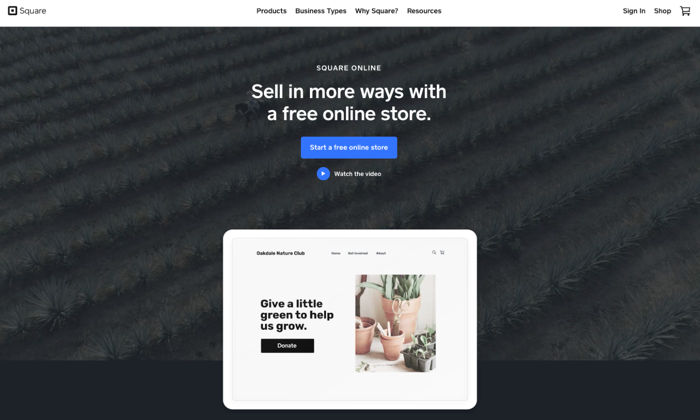
Square Online is a complimentary ecommerce platform for striving business owners who are still getting their feet damp with online selling. Unlike huge names in the market, Square Online lets you offer endless items without paying repeating costs.
.
It ’ s totally free to establish your online shop hosted by Square Online. You ’ ll pay a charge for deals on the website, however it ’ s just a little portion of your overall sale.
.
Your still making’cash on your totally free Square Online website, which is quite terrific considering you still pay deal charges on paid hosting platforms.
.
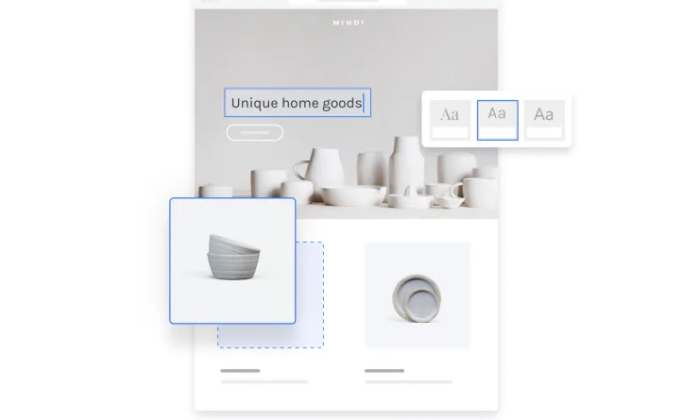
The drag-and-drop editor just provides 4 personalized styles, however you get a guarantee that every style follows your market ’ s finest practice. Without touching any code, you can produce your online shop with a responsive style that suits any gadget.
.
Square Online likewise uses the following to assist you start with your organization:
. Square POS combination so you can immediately import your item brochure and let it sync with your online shop for a smooth stock managementPayment processing system that accepts all significant charge card, Google Pay, and Apple PayIn-house and on-demand deliveryInstagram integrationFree SSL securitySEO tools.
In exchange for hosting your online shop totally free, Square Online needs a little commission cost of 2.9 %+ 30 ¢ for each item offered. Ought to you choose to scale your organization, you can move and leave the totally free strategy to the premium prepares beginning at$ 12 monthly.
.
Through a brand-new function called Square Online Checkout, sellers likewise have the alternative to offer their items and get payment utilizing just a link rather of a site.
.
Whether you ’ re a recognized brick-and-mortar shopkeeper or simply going back to square one, Square Online has all the essentials to assist you browse the unknown world of ecommerce with ease. Start now.
. # 3– DreamHost Review– Best Free Web Hosting for Nonprofits
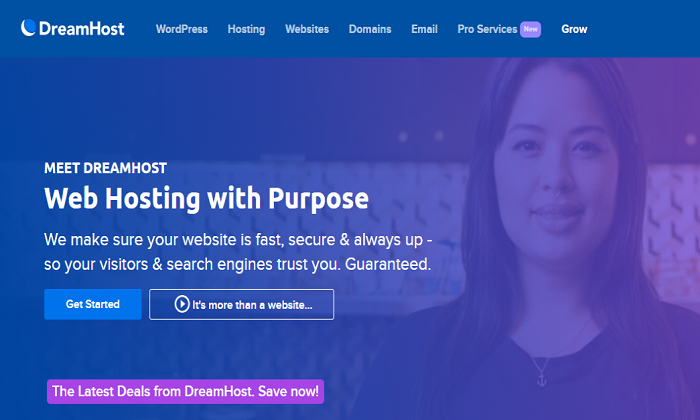
DreamHost thinks in every not-for-profit company ’ s advocacy a lot that they ’ re providing a shared hosting strategy at no charge.
.
Aside from totally free webhosting, DreamHost likewise offers US-based charitable companies with the following:
. Free domainFree backupsFree shopping cart’setup so you can accept contributions with easeUnmetered transfer and endless month-to-month visitorsFree SSL certificate to keep online deals protected.
To produce a totally free hosting account, DreamHost does not need any charge card information and requires simply your billing address for confirmation functions.
.
You likewise require to connect a 501( c) (3) decision letter, a file from the United States IRS showingyour tax-exempt non-profit status under the appropriate areas of the tax code.
.
Since it ’ s a complimentary account, you won ’ t have access to trusted 24/7 consumer assistance. DreamHost ’ s committed assistance center and ticketing system offset this, which more than fulfills the requirement for simple troubleshooting services.
.
Should you desire more control overyour account, not-for-profit companies can likewise obtain’themselves of a 35% discount rate off DreamHost ’ s handled WordPress hosting strategies. This implies you can host your website under a paid prepare for as low as $11 each month.
. # 4– WordPress.com Review– Best Free WordPress Hosting Service
Often puzzled with the open-source software application WordPress.org, WordPress.com is the totally free platform where non-technical users can develop sites.
.
Since it is powered by the exact same robust and first-rate facilities behind almost half of the world ’ s sites, WordPress.com is the very best location to discover how to handle a site while you ’ re still not prepared or able to pay for a hosting service.
.
Setting up a site is simple. You can choose a WordPress subdomain and select from any of the readily available styles.
.
Just like Wix, WordPress.com likewise’shows advertisements to sustain its totally free platform. While the advertisements might in some cases be bothersome, this is a little cost to spend for all the other functions that WordPress.com needs to use:
.3 GB storage area so you can release both text and gorgeous imagesUnlimited bandwidthFree SSL certificate for an extra layer of securityOptional backups so you can conserve your files on your hard disk.
While it has outstanding efficiency for a totally free hosting platform, WordPress.com can ’ t beat the paid variation in regards to versatility. The WordPress CMS set up on sites in paid hosting strategies offers you direct server gain access to and flexibility to set up plugins and styles of your option.
.
Still, WordPress.com benefits beginners, particularly if you just desire a basic, stripped-down site to display your composing portfolio or individual journal.
. # 5– GitHub Pages Review– The Best Free Static Web Hosting for Developers
Anyone with standard coding abilities is currently acquainted with GitHub, an open-source platform where designers keep their coding tasks. GitHub Pages is where you can take these codes from the repository, have them go through a develop procedure, and turn them into a basic fixed site.
.
A fixed site is perfect for those who choose a little site that doesn ’ t requirement to be upgraded routinely. It ’ s likewise ideal for trainees who desire a test website to experiment with or present for their school tasks.
.
GitHub Pages is totally free, yet it features a variety of impressive functions:
. One website per GitHub account Unlimited task websites1 GB of storage plus 100 GB bandwidth every monthStandard github.io subdomain or custom-made domain you ownFree HTTPS to avoid others from damaging your trafficBuilt-in combination with Jekyll, a popular fixed website generator, for more personalization choices.
To develop your fixed site, all you require to do is check in to your account and develop a brand-new repository. You can then utilize the Jekyll Theme Chooser to select from among the pre-made styles.
.
If you wear ’ t like your style or your fixed site ’ s material, no requirement to fret as modifications are an easy edit and press away. You can make these modifications either through the web or in your area on your computer system.
.
Whether you ’ re a designer or a non-techy trying to find easy-to-follow guidelines, GitHub Pages has all the tools you require to produce a complimentary fixed website.
. What I Looked at to Find the Best Free Web Hosting. Before we continue, you need to keep in mind that there ’ s no such thing as a totally free lunch.
.
In the case of a totally free webhosting, it has restrictions that wear ’ t interest everybody.
.
Free webhosting is created to fulfill the requirements of a specific niche market like a brand-new pastime blog writer who doesn ’ t plan to make from his site or a trainee searching fora complimentary platform where she can check her web advancement tasks.
.
With that being stated, you can ’ t utilize the very same requirements in picking a paidhosting strategy when zeroing on the very best complimentary webhosting to fit your requirements.
.
Remember, you get what you spend for.And when it comes to a totally free webhosting, you shouldn ’ t anticipate to get day-and-night assistance, on-demand or day-to-day’backups, and 100% uptime warranty, to name a few.
.
However, some complimentary alternatives are a cut above the rest. Utilize the following criteria to determine whether a complimentary webhosting service deserves a shot.
. Custom-made Domain.
Most business want to host your site free of charge so long as you ’ re likewisehappy to utilize a subdomain.
.
For circumstances, Wix is a popular site contractor that needs its complimentary users to utilize a subdomain( e.g., neilpatel.wix.com).
.
A subdomain doesn ’ t appearance expert nor is it helpful for branding. Unless you just desire a removed down site you can play around with , it would be much better to choose for a business that can host your custom-made domain for totally free.
.
A custom-made domain is one that you own( e.g., neilpatel.com).You can acquire it from a domain registrar or from any hosting service provider that likewise uses domain registration on the side. Domainsare low-cost, and you ’ ll requirement to restore them every year.
.
If branding is your leading concern, ensure to discover a complimentary webhosting that offers you the choice to stick out in a sea of other easily hosted sites.
.Security.
While sophisticated security functions wear ’ t exist in totally free webhosting platforms, they ought to a minimum of use a totally free SSL certificate.
.
SSL (safe and secure sockets layer )is an innovation that secures the details that goes through your site. It secures your website visitor ’ s delicate information like passwords and charge card information from outdoors burglars.
.
If you ’ re introducing a standard ecommerce website on a totally free hostingplatform, a complimentary SSL certificate is non-negotiable. Some totally free web hosting services just use a self-signed SSL, which misinforms usersinto thinking believing it ’ s the same very same the industry-standard SSL certificate.
.
A self-signed SSL is released by servers and not by relied on authorities like Comodo, Digicert, and Let ’ s Encrypt. Considering that it’ s not a basic variation, sites with self-signed SSL will still reveal security cautions to visitors.
.
Hence, a self-signed SSL beats the function of an SSL certificate although it provides the very same level of’file encryption. Particularly if you ’ re preparing to offer an item through your site, having a self-signed SSL is no much better than not having an SSL certificate at all.
. Storage and Bandwidth.
As a guideline of thumb, never ever choose totally free webhosting unless you ’ ll usage it for a fundamental site with little to notraffic.
.
A totally free webhosting isn ’ t created to manage substantial traffic volume. This is why it ’ s crucial to check out the small print of the hosting service provider ’ s conditions prior to registering.
.
Unfortunately, a great deal of totally free hosting companies tend to deceive unaware users by consisting of “ unrestricted storage ” and “ limitless bandwidth ” in their list of functions.
.
Disk area or storage area is the quantity of server area designated to your site files, while bandwidth is the quantity of information permitted to move from the server to your visitors in an offered quantity of time. Your disk area and bandwidth are best explained as low and never ever “ endless if your site is hosted in a complimentary platform. ”
.
“ Unlimited bandwidth ” is a marketing technique by totally free hosting companies” based upon the presumption that websites on a shared server will not consume the offered resources, which is seldom the case.
.
Instead of being swayed by these shallow functions, pay more attention particularly to submit size limitation and CPU limitation.
.
A file size limitation is the optimum file size your site can publish, while the CPU limitation describes just how much of the server ’ s main processing system( CPU) your”siteis permitted to utilize.
.
Free” webhosting service providers can briefly close down your website without caution, so ensure you understand precisely what and just how much your restrictions are.
. Advertisements. Since of the company behind it, #ppppp> The only factor why totally free web hosting continues to exist is. And a service needs a source of earnings.
.
Some of the more popular totally free webhosting sustain their platform through advertisement area. This money making approach might work, however it comes at the expenditure of your visitors.
.
You have no control over what appears on the adsor where they ’ re positioned. Not to discuss advertisements, in basic, tend to be meddlesome and take the happiness out of consuming your material.
.
If you desire totally free hosting however appreciate your website ’ s looks and user-friendliness, you can go with a business that supports their totally free platform through other methods, such as the sales of premium hostingstrategies.
. Client assistance.
Support for sites hosted in a totally free webhosting is restricted at finest. Unless you currently have both the spending plan and require to update to premium strategies, there ’ s absolutely nothing else you can do.
.
When searching for the’finest complimentary webhosting to delegate your site, select one with an active neighborhood online forum.
.
Check the most recent posts and see how quick the reaction time’is. The more active users the service has, the quicker you ’ ll get a resolution to any issue you may deal with in the future.
.
In addition to a neighborhood online forum, some complimentary webhosting likewise have a self-service understanding base where users can rapidly get the answer to their the majority of fundamental concerns.
. Conclusion.
Nothing beats a paid hosting prepare for all the additional assistance, functions, and performance.Still, if you require totally free webhosting or if you wish to try various webhosting prior to dedicating to a financial investment, there are some excellent complimentary alternatives offered.
.
These are my leading options if you are wanting to get online without investing a penny:
. Wix — Best complimentary webhosting with site home builder Square Online — Best totally free ecommerce hosting platform DreamHost — Best for nonprofits WordPress.com — Bestcomplimentary WordPress hosting GitHub Pages — Best complimentary fixed webhosting for designers.
The finest complimentary webhosting for you depends upon what you ’ re searching for. Utilize the evaluations and guide to assist you limit your options.
We have actually been happily B Corp accredited for almost 3 years now. We are working towards re-certifying later on this year. Dealing with the strenuous B Impact Assessment and commemorating this year’’ s B Corp month is providing us a possibility to review what it implies to be a B Corp and why that makes us a much better company.





 Why Should You Create a Facebook Contest?