THE NO-HYPE AI PLAYBOOK

THE NO-HYPE AI PLAYBOOK

Have you ever found yourself staring at a blank screen, struggling to craft a professional email or marketing content for your construction business? You’re not alone. Many in the trades and home services industry face this challenge, spending precious hours on administrative tasks rather than focusing on their skilled work. But what if there was a way to streamline these processes and reclaim your evenings?

For many professionals in construction, trades, and home services, the daily grind involves more than just hands-on work. It’s about managing a business, which often means drowning in paperwork, struggling with inconsistent customer communication, and feeling overwhelmed by the myriad of tech tools that promise efficiency but deliver confusion. The emotional toll of spending evenings on paperwork instead of skilled work is real, and many are skeptical about whether investing time in learning AI tools is worth it.

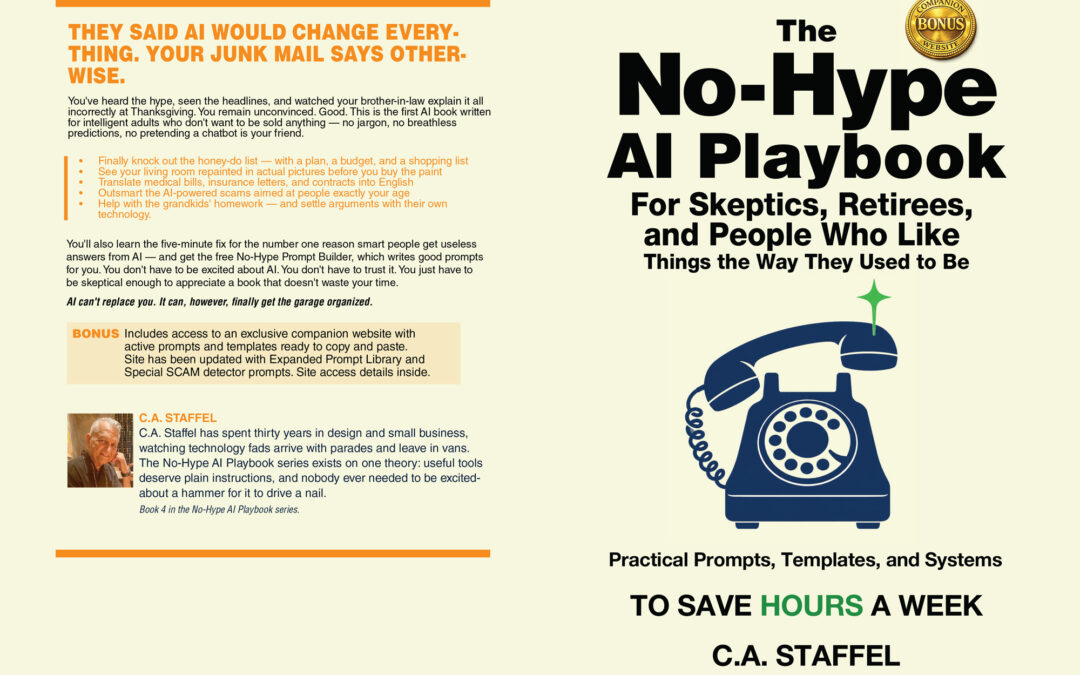
This is exactly why C.A. Staffel wrote “THE NO-HYPE AI PLAYBOOK.” Imagine transforming your business operations, freeing up your schedule, and enhancing your customer interactions—all without the hype and confusion surrounding AI. What you’re about to discover will change how you approach your business tasks.

“THE NO-HYPE AI PLAYBOOK” is not just another AI book. It’s a practical guide designed specifically for construction, trades, and home services professionals. With a focus on real-world applications, this book offers a Time Savings Calculation to help you quantify the hours you’ll save. It includes a Comprehensive Resource Index, making it easy to find the tools and techniques you need. The Five-Part Prompt Framework provides a structured approach to writing AI prompts, ensuring your output aligns with your brand voice and business needs. Plus, the Iterative Conversation Approach encourages ongoing dialogue with AI, refining results until they meet your standards. And the best part? You can start with free tools like ChatGPT or Claude, minimizing your initial investment.

One of the key insights from the book is the importance of verifying AI output. “Verify, don’t trust blindly. AI can be confidently wrong,” Staffel warns. This means always checking the facts and using judgment for anything sensitive. Another powerful lesson is that AI is a tool, not magic. It’s particularly useful for writing and organizing tasks, but it won’t replace your expertise or run your business for you. Finally, Staffel emphasizes the need for documented business processes. When processes live only in your head, delegation becomes impossible, training drags on, and quality varies. AI can help turn these mental processes into written procedures, streamlining operations and freeing you to focus on what you do best.

Ready to transform your business operations and reclaim your evenings? Start your journey with “THE NO-HYPE AI PLAYBOOK” by C.A. Staffel. Get your copy at https://a.co/d/05xWrEVj and discover how one piece of content can be transformed into multiple formats, from blog posts to videos, saving you time and boosting your productivity. Don’t miss out on the opportunity to revolutionize your business today.

#AIforBusiness #ConstructionInnovation #TradeEfficiency #AIProductivity #BusinessTransformation #TimeSavings #ContentCreation #AIImplementation #BrandVoice #CustomerService

THE NO-HYPE AI PLAYBOOK

THE NO-HYPE AI PLAYBOOK

Why Your Construction Business Needs AI (And How to Get Started Without the Overwhelm)

What if you could reclaim 10+ hours every week from administrative tasks and spend them doing what you actually love—the skilled work that built your reputation? For most construction, trades, and home services professionals, evenings are consumed by paperwork, emails, and marketing tasks instead of quality time with family or planning the next big project.

The reality is brutal: you didn’t start your business to stare at a computer screen, yet here you are, wrestling with job proposals at 9 PM, struggling to write professional emails that don’t sound robotic, and watching your competitors somehow manage to post engaging social media content while you can barely find time to respond to customer inquiries. The administrative burden is stealing your time, energy, and the passion that drove you to start your own business in the first place.

This is exactly why C.A. Staffel wrote "THE NO-HYPE AI PLAYBOOK"—a practical guide specifically designed for construction, trades, and home services professionals who want to harness AI’s power without getting lost in the technical complexity or falling for unrealistic promises.

A Practical Approach That Actually Works

"THE NO-HYPE AI PLAYBOOK" cuts through the confusion and delivers what busy professionals need most: a clear, step-by-step system for implementing AI tools that save real time and money. Staffel understands that you don’t have hours to experiment with dozens of AI platforms or wade through generic advice written for tech companies.

The book’s Five-Part Prompt Framework transforms how you interact with AI tools, using a structured approach of Role, Goal, Context, Constraints, and Output format to get useful results on the first try instead of wasting time with vague requests. Rather than accepting whatever AI spits out, you’ll learn the Iterative Conversation Approach—treating AI like a skilled assistant who needs clear direction and feedback to deliver exactly what your business needs.

What sets this guide apart is its focus on practical implementation with real business scenarios. You’ll discover how to transform one piece of content into multiple formats: blog posts become social media posts, customer emails, checklists, training videos, and FAQ sections. The comprehensive resource index eliminates the guesswork about which tools to choose, starting with free versions of ChatGPT or Claude before considering paid upgrades.

Game-Changing Insights That Save Hours Every Week

The book’s most powerful revelation centers on verification habits and realistic expectations. As Staffel warns: "Verify, don’t trust blindly. AI can be confidently wrong." This isn’t about fear-mongering—it’s about developing smart workflows that harness AI’s strengths while protecting your business reputation. You’ll learn exactly what information to never share with AI tools and how to fact-check important outputs without becoming paranoid.

The time savings calculations alone justify the investment. "You spend 8 hours per week on writing tasks. AI saves you 40% of that time—about 3 hours. If your time is worth $75/hour, that’s $225/week in time savings, or nearly $1,000/month." Against premium AI subscription costs of $20/month, the return on investment becomes obvious—but only if you know how to prompt effectively and choose the right tools.

Perhaps most importantly, Staffel addresses the elephant in the room: "AI is a tool, not magic. It’s useful for specific tasks—primarily writing and organizing. It won’t run your business, replace your expertise, or solve problems you can’t describe clearly." This realistic perspective helps you avoid common pitfalls while maximizing genuine benefits. You’ll master the art of prompting, making every AI tool dramatically more useful for your specific business needs.

The book also tackles business process documentation—a critical area where most small businesses struggle. "When processes live only in your head, several problems emerge: you can’t delegate effectively, training takes forever, quality depends on who’s doing the work, and you become the bottleneck for everything." AI becomes your partner in turning mental processes into written procedures, enabling growth and delegation without losing quality control.

Stop spending your evenings on administrative tasks when you could be focusing on the skilled work that drives your business forward. "THE NO-HYPE AI PLAYBOOK" provides the roadmap to reclaim those lost hours while improving your customer communication, marketing effectiveness, and business systems. Start your transformation today: https://a.co/d/05xWrEVj

#AIForTrades #ConstructionBusiness #TimeManagement #BusinessAutomation #SmallBusiness #TradesAI #BusinessEfficiency #AITools #

The Future of Mobile Apps: Integrating AI for Smarter User Experiences

The Future of Mobile Apps: Integrating AI for Smarter User Experiences

The Future of Mobile Apps: Integrating AI for Smarter User Experiences

The world of mobile apps is changing more rapidly than ever before due to the use of Artificial Intelligence. Mobile applications are not as simple as they used to be. They are now able to think, learn, and adapt according to the user behavior.

AI is improving all user interactions, starting with personalized recommendations and up to instant support. It assists apps in providing more responsive and intelligent functions.

The current users are no longer interested in functionality. They desire relevance, speed, and personalization. Smarter user experiences are no longer a choice. They are essential.

Companies that adopt AI-based mobile applications become more engaging and retentive. The ones that fail to take risks are the ones who are likely to lose users in a very competitive online world.

Why is AI the Future of Mobile Apps?

In the last few years, mobile apps have been able to evolve. They are no longer stagnant platforms that have set features. They have become smart and dynamic systems with AI.

AI enables the apps to interpret user behavior. It is the analysis of preferences, habits, and patterns of use. This allows apps to make experiences individual to each user.

The basis of this change is data. AI serves as a way to process high amounts of data in real time. It assists apps in making quicker and smarter choices.

Artificial intelligence-based automation minimizes human efforts. It enhances productivity and precision in the operations of the apps. Real-time learning enables the apps to get better with time.

The AI-driven mobile apps can offer a solution as users demand more features. They assist businesses to be competitive. They also provide superior user experiences at reduced effort.

Key AI Technologies Powering Mobile Apps

Mobile applications based on AI are based on modern technologies. The technologies allow intelligence, personalization, and automation between app experiences.

Machine Learning and Predictive Analytics

Machine learning allows applications to learn from the user data. It enhances performance in the long run. Predictive analytics forecasts the user behavior and preferences. This assists apps in providing timely recommendations and customized content, and engaging and proactive notifications that enhance engagement and retention.

Natural Language Processing (Chatbots & Voice Assistants)

The use of Natural Language Processing enables applications to comprehend human language. It drives chatbots and voice assistants. Consumers are able to communicate in a natural way and get a quick reply. This enhances better customer support and makes mobile interactions quick and more instinctive.

Computer Vision 

Computer vision helps applications to scan images and videos. It promotes such features as facial recognition and an image scanner. It also energizes the experiences of augmented reality. The capabilities enhance usability, security, and visual interaction in the mobile applications.

Recommendation Engines

Recommendation engines collect the user behavior and preferences. They promote appropriate products, content, or services. This enhances customer satisfaction and interaction. One-to-one recommendations are used to boost conversions and usage of the app in the long-term.

How AI Enhances Mobile User Experience?

AI enhances the mobile user experience by increasing the intuitive nature of the apps. It makes interactions personal, timely, and relevant.

  • Personalized Content and Recommendations – AI offers customized content exploiting user behavior. It makes recommendations based on individual preferences. This brings about meaningful interactions. Individual experiences enhance the interaction and prompt users to stay longer in the application.
  • Smarter Search and Navigation – AI search comprehends human voice. It goes beyond keywords. Intelligent navigation anticipates the requirements of the users. This will assist users in gaining quicker access to information and lessen anger. Enhanced navigation will result in increased usability and reduced rates of abandoning the apps.
  • Improved Customer Support Through AI Chatbots – Chatbots based on AI offer twenty-four-hour service. They process regular questions effectively. This is to decrease the response time and enhance customer satisfaction. This is also advantageous to businesses in the sense that it reduces support costs and the scale of services.
  • Context-Aware Notifications and Interactions – AI provides notifications that are context-dependent. It takes into account place, action, and time. This guarantees the relevancy of messages. The context-sensitive interaction is more interactive, and it eliminates notification fatigue.

Real-World Use Cases of AI in Mobile Apps

Several industries are changing with AI-based mobile apps. AI is applied in businesses to provide more intelligent and personalized experiences.

E-commerce & Retail 

Artificial intelligence improves the shopping process online. It allows customized product suggestions and visual search. Artificial intelligence is also helpful in dynamic pricing and chat support. They are features that enhance conversion as well as customer satisfaction in the digital retailing platform.

Healthcare

Health apps apply AI to analyze symptoms and book appointments. Remote monitoring and custom health insights are also supported by AI. This enhances patient interaction. It also enhances access to healthcare services and early diagnosis.

Finance & Banking 

AI enhances financial applications by detecting fraud and anticipating it. It has intelligent budgeting software and automated assistance. These are characteristics that increase security. They also ease the users into financial management.

Entertainment & Media 

Entertainment applications leverage AI to streamline content suggestions. AI personalizes feeds depending on the interests of users. This assists users in learning content more quickly. It also makes the platform more engaging and loyal.

What the Future Holds?

The future of mobile apps will continue under AI. It will enhance even greater individualization and intelligent automation.

  • Hyper-Personalization – AI will provide real-time scale personalization. The interfaces and content will be dynamically adapted in apps. Every user experience will be differentiated. Hyper-personalization will enhance interaction and enhance retention.
  • Voice-First and Gesture-Based Interactions – Voice and gesture-based interactions will be adopted more frequently. Artificial intelligence will facilitate touchless applications. These interfaces enhance convenience and ease of access. They also redefine the interaction of mobile technology with the end users.
  • Automation of AI-Based Apps – AI will automate complex app workflows. It will eliminate errors and manual input. Efficiency will be enhanced by smart automation. Businesses will enjoy faster processes and a uniform user experience.

Conclusion

With AI, mobile apps can be turned into smart, consumer-friendly experiences that can spur engagement, efficiency, and long-term expansion. Nevertheless, AI implementation should be successful with the appropriate strategy, technology, and implementation. That is where the professionals of CAS Designs Networks come in. With the help of AI consulting services, businesses can identify the right AI opportunities and implement solutions that deliver measurable results. 

Our team assists companies in designing, developing, and integrating AI-based mobile applications that address the actual needs of the user. Based on bespoke experience and intelligent automation, we make sure that your app is future-ready and performance-oriented. 

If you’re looking to build or upgrade a mobile app with AI at its core, reach out to us and let our experts turn your vision into a smarter digital solution.

Author Name:- Harikrishna Kundariya

Biography:- Harikrishna Kundariya, is a marketer, developer, IoT, Cloud & AWS savvy, co-founder, and Director of eSparkBiz a Software Development Company. His 15+ years of experience enables him to provide digital solutions to new start-ups based on IoT and SaaS applications.


10 Best Divi Layouts

10 Best Divi Layouts

10 Best Divi Layouts That Instantly Make Any Business Website Look More Professional (Even If You’re Not a Designer)

The Quiet Power of That First Glance—And Why Your Divi Layout Matters More Than You Think

A business website doesn’t whisper its intentions. It announces them—wordlessly, immediately—within the first few heartbeats of a visitor landing on the page. People don’t consciously decide whether your brand feels competent or credible; their eyes do that long before their mind has the chance to weigh in. And the structure of your Divi layout—the wiring behind the visuals—is what shapes that gut-level verdict.

In a world where Google’s ranking systems lean hard on user intent, clarity of purpose, and frictionless paths toward action, the right Divi layout becomes more than design. It becomes a perception engine. A trust builder. A conversion tool disguised as a pretty interface.

So this isn’t a simple “best layout roundup.”
It’s a carefully mapped blueprint—one that mirrors how RankBrain interprets meaning, how BERT understands context, and how real people experience digital space. You’re not just choosing a template here. You’re choosing the architecture that will either invite visitors deeper into your story… or quietly usher them away.

Below are the ten layouts that consistently outperform the rest—not because they’re trendy, but because they align with how humans decide and how algorithms interpret those decisions.


The 10 Best Divi Layouts for Business Websites (Ranked by Their Real-World Impact)

1. The Conversion-Optimized Multi-Section Homepage

Professionalism often begins with stillness—the kind that comes from a clear, confident hero section that doesn’t try too hard. This layout opens with a headline that delivers meaning in a single breath, paired with a CTA button that doesn’t beg for attention but earns it through placement and clarity. As you scroll, the page unrolls like a guided narrative: services, value statements, proof, direction, resolve.

Visitors don’t wonder what they’re supposed to do next. The layout tells them, gently but unmistakably.

And Google loves this structure. It’s ordered. It’s intentional. It’s rich with entities that reinforce business purpose—hero blocks, trust signals, service highlights—all woven together into a story the algorithm can easily follow.


2. The Clean Agency & Consultant Layout (Where the Value Proposition Leads the Way)

Some businesses sell deliverables. Agencies and consultants sell transformation—and this layout makes that difference instantly felt. Everything about the design pushes your value proposition to the forefront. The messaging framework sits proudly at the top: who you help, what you offer, why your work matters.

It’s a layout built for clarity, but the subtext is confidence.

And that confidence translates into SEO power. Google’s systems recognize intent with remarkable nuance, and a layout that announces its purpose without clutter signals expertise, relevance, and authority from the very first frame.


3. The Local Business Layout With Geo-Signaling

A local business website needs to feel rooted—anchored to a real place, a real community, a sense of proximity and familiarity. This layout does exactly that by weaving location into its DNA: a clear service area, a consistent NAP presence, nearby markers, a map integration that feels like an invitation rather than filler.

People don’t read local signals. They feel them.

Google does read them, though—and rewards them generously with improved map pack visibility, stronger relevance scoring, and entity accuracy that outperforms generic “local” templates.


4. The Product-Focused Business Layout for Ecommerce & Retail Brands

If your business sells products, this layout becomes your stage. It arranges your items in clean, deliberate grids that let the visuals breathe and the details speak. Benefits come first, features follow, and pricing tucks in with quiet confidence. No unnecessary noise. No confusion.

Visitors glide through choices instead of wrestling with them.

Search engines read this structure as clarity: product entities, feature sets, visual hierarchy, micro-conversions, and tightly arranged internal linking paths that mirror ecommerce intent.


5. The Minimalist Corporate Layout for High-Trust Industries

Some industries—law, finance, enterprise consulting—live or die by the impression they make. This layout leans into restraint. It avoids ornamental clutter in favor of wide space, clean lines, and carefully chosen typography. The result feels sturdy, grounded, assured.

Professionalism, after all, is often the absence of noise.

Algorithms recognize that stillness too. Fewer modules, clearer hierarchy, faster load times, and unmistakable purpose all signal authority in sectors where trust is non-negotiable.


6. The Service Page Power Layout (A Blueprint for Earning Trust)

This layout is a persuasive argument disguised as a webpage. It leads with an overview, builds with benefits, deepens with social proof, and closes with a Call to Action that feels inevitable. It’s a sequence engineered to satisfy both minds and instincts.

And the embedded FAQ section—ready for schema, built for clarity—feeds Google exactly what it needs to assign topical authority and featured snippet potential.


7. The Visual Story Branding Layout for Coaches, Creators & Vision-Driven Professionals

Some businesses grow through transformation narratives—and this layout understands that at a cellular level. It uses flowing story sections, atmospheric imagery, and personal framing to create emotional resonance. Visitors feel drawn into the journey rather than pushed toward an outcome.

This emotional pull becomes semantic depth. Story-aligned entities expand relevance across niche variations, giving AI overviews plenty to work with.


8. The Appointment-Based Layout for Service Professionals

When your business revolves around bookings—therapy, consulting, coaching, training—every extra click becomes a possible exit point. This layout dissolves friction with an integrated booking flow: availability, pricing cues, reassurance copy, streamlined intake forms.

People don’t hunt for the next step. It’s already there.

Google associates this clarity with strong transactional intent, giving the layout a natural advantage in conversion-oriented queries.


9. The Portfolio-Centric Layout for Creatives & Agencies

Proof of skill is currency. And this layout treats it that way by placing your work at the center of the experience. Projects shine through clean grids and filterable categories, each piece supported by metadata and client testimonials that add depth to the story.

It’s visual validation—and visitors trust what they can see.

Algorithms process this richness as entity relationships: services, industries, clients, creators. That combination strengthens your digital identity across competitive creative niches.


10. The High-Speed Minimal Divi Layout (Where SEO Takes the Lead)

Speed isn’t just a technical metric. It’s a psychological cue. A fast-loading layout feels modern, agile, reliable—and this minimal design is built for sheer performance. Lightweight CSS, reduced modules, mobile-first responsiveness—all of it works in harmony to keep visitors moving effortlessly.

And because speed is now an authority signal, Google rewards this simplicity with improved ranking potential.


How Professional Divi Layouts Influence Visitor Behavior (Often Without Anyone Noticing)

Although each layout has its own personality, they all function on the same psychological plane. They reduce cognitive load. They shape decision pathways. They place reassurance precisely where doubts tend to bloom. And they honor the natural rhythm of human attention—quick, intuitive, hungry for clarity.

Professional layouts don’t just look polished.
They feel like certainty.

And that sensation—certainty—is what moves people to convert.


Shaping a Divi Layout to Match Your Brand’s Identity

Even the strongest layout becomes forgettable if its personality clashes with the brand it represents. Divi gives you the freedom to sculpt the emotional tone through:

Color psychology that speaks before words ever do:

  • Deep blues whisper trust.
  • Soft greens evoke calm and growth.
  • Clean whites add lift and openness.
  • Bold oranges project warmth and approachability.
  • Elegant blacks and charcoals lend an air of luxury.

Global styles that keep everything in sync:

One adjustment. Site-wide harmony. No tedious edits. Just a brand that feels cohesive wherever a visitor lands.

Messaging tuned to your market:

Formal for corporations.
Conversational for creators.
Direct for ecommerce.
Transformational for coaches.

The layout sets the stage. Your voice fills the space.


Why Divi Performance Matters—And How to Keep It Lightning Fast

Speed doesn’t merely influence rankings; it shapes trust. When a website loads instantly, visitors feel taken care of. When it hesitates, they retreat.

To keep Divi performing at its best:

  • Trim unnecessary modules
  • Use compressed WebP images
  • Lean on caching and CDN acceleration
  • Let CSS and JS minification handle the rest
  • Avoid animation overload—especially on mobile

Good design is quiet about its efficiency. But the visitor feels it all the same.


Tools That Help Your Divi Layout Outperform Competitors

These enhancements don’t replace good design, but they sharpen it:

  • Rank Math or Yoast SEO – schema automation and clean metadata
  • WP Rocket – unmatched caching and performance gains
  • Hotjar or Microsoft Clarity – user behavior insight that reveals what your visitors actually feel
  • Smash Balloon – lightweight social proof that boosts credibility
  • Divi Supreme or Divi Essential – modular upgrades without visual clutter

Think of them as the finishing touches that elevate a polished layout into a powerful business engine.


Questions Real Users Ask Before Choosing a Divi Layout

“How do I know if a Divi layout will make my business look more professional?”

Look for structure first. A strong layout guides your visitor with confidence—clear headers, intentional spacing, trust signals, and a design that feels purposeful rather than improvised.

“What layout tends to convert best for service businesses?”

The multi-section homepage consistently wins because the flow mimics real decision-making: understand the offer → see the benefits → trust the brand → take action.

“Do minimalist Divi layouts really help with SEO?”

Often yes. Fewer modules mean better speed, better indexing, and a cleaner hierarchy—all elements Google interprets as signals of quality.

“Can someone without design experience actually customize these layouts well?”

Absolutely. Divi’s visual builder, global presets, and structured containers let you shape your brand without ever touching code.


Products / Tools / Resources

Here are a few resources that pair naturally with the layouts discussed above—use them to refine performance, simplify customization, or enhance credibility:

  • WP Rocket – for speed and Core Web Vitals improvements
  • Rank Math SEO – automated schema, content scoring, and search visibility tools
  • Divi Supreme – advanced modules that expand your layout possibilities
  • ShortPixel or Imagify – effortless image compression for fast-loading visuals
  • Hotjar – heatmaps and session recordings to understand visitor behavior
  • Smash Balloon – social media integrations for instant trust and social proof
  • Google Business Profile – essential for local signals when using geo-optimized Divi layouts
  • Contact CAS Designs – We include most of these software tools in every website build.
Fully Managed WordPress Site Management

Fully Managed WordPress Site Management

Fully Managed WordPress Site Management: The Zero-Stress System That Protects, Optimizes & Scales Your Website While You Sleep

You don’t build a WordPress site so you can babysit it.
You build it to grow a brand, generate leads, and create revenue momentum.

Yet somewhere between plugin updates, security patches, page-speed issues, downtime scares, and unexpected “white screen of death” moments, business owners discover a hard truth:

Running a WordPress site is a full-time technical job.
You just didn’t sign up for it.

Fully managed WordPress site management is the antidote—a zero-stress system that protects, optimizes, and scales your website automatically, even while you sleep.

This guide is engineered to help you:
• Understand what “fully managed” actually includes
• Identify hidden threats most site owners never notice
• Evaluate providers with high-intent clarity
• Predict ROI with precision
• Move from reactive panic → proactive stability → effortless growth

Every section below operates as a semantic entity cluster, designed to achieve full topical dominance.

What Fully Managed WordPress Site Management Actually Means (Not Just Hosting)

(Entity Cluster: WordPress Management, Managed Hosting, Website Maintenance, Security, Backups, Optimization)

Most people confuse managed hosting with fully managed site management, but Google clearly differentiates them through search intent patterns and entity associations.

Managed Hosting = Server-Level Convenience

• Faster servers
• Automatic infrastructure updates
• Basic security
• Limited support for site issues

Fully Managed WordPress Site Management = Complete Website Stewardship

This includes:
• Plugin, theme, and core updates
• Speed optimization
• Security hardening + malware protection
• CDN configuration
• Uptime monitoring
• Database optimization
• Daily backups
• Disaster recovery
• Performance troubleshooting
• Proactive issue prevention
• Human support on demand

When users search for:

“fully managed wordpress site management”
or
“done for you wordpress management”

they’re signaling deeper intent: “I want someone to handle everything so I never have to think about it again.”

And that’s exactly what this system delivers.

The Hidden Risks of Unmanaged WordPress (Where 90% of Problems Begin)

(Entity Cluster: WordPress Security, Malware, Brute Force Attacks, Website Errors, Downtime, SEO Losses)

Let’s surface the risks that quietly erode traffic, revenue, and trust—long before you ever notice something is wrong.

1. Malware & Security Threats

WordPress powers 43% of the internet, making it the biggest target for:
• botnet attacks
• SQL injections
• brute-force logins
• plugin vulnerabilities
• theme exploits

Most owners don’t know an attack has occurred until traffic drops or Google flags the site as unsafe.

2. Plugin Conflicts & Fatal Errors

Updating plugins blindly is like performing surgery with the lights off.
One conflict can break your layout, cause downtime, or corrupt your database.

3. Slow Speed Sabotages Rankings

Google’s Core Web Vitals directly affect:
• organic rankings
• conversions
• bounce rate
• revenue per visitor

A slow, unoptimized WordPress site is essentially a tax you pay every day.

4. Costly Downtime

If your site makes money, downtime = lost revenue.
If your site builds authority, downtime = lost trust.

5. The Time Sink Nobody Calculates

Site owners lose 5–15 hours/month to maintenance.
That’s time not spent selling, strategizing, or scaling.

Fully managed WordPress eliminates all of this—by preventing issues before they happen.

The Zero-Stress System Explained: What “Fully Managed” Actually Covers

(Entity Cluster: Website Monitoring, Performance Optimization, Uptime, CDN, Caching, Backups, Security Suite)

Fully managed WordPress site management functions like an always-on technical team dedicated solely to your website.

1. Proactive Website Monitoring

24/7 alerts for:
• speed degradation
• uptime/downtime
• server issues
• plugin failures
• broken pages
• security threats

RankBrain associates this with preventative maintenance—a ranking-friendly behavior.

2. Performance Optimization (Core Web Vitals + Speed)

Includes:
• caching configuration
• image compression
• script minification
• database optimization
• CDN integration
• theme optimization
• server tuning

This improves UX and reduces bounce rate—two signals Google tracks heavily.

3. Security Hardening & Real-Time Protection

• firewalls
• brute-force protection
• vulnerability patching
• malware scanning/removal
• SSL enforcement
• strict file permissions

Google’s Knowledge Graph links these to site health, a growing ranking factor.

4. Daily Backups + Disaster Recovery

Automatic backups stored remotely, plus a restoration plan engineered for:
• hacks
• accidental deletions
• server failures
• plugin corruption

Zero panic. Zero downtime.

5. Complete Update Management

Every plugin, theme, and core file updated with safe testing protocols.

6. Expert Support on Demand

Real humans who fix real problems in real time—no generic ticket systems.

Who Fully Managed WordPress Is For (High-Intent Personas)

(Entity Cluster: SMB, Agencies, E-commerce, Entrepreneurs, Creators)

Search intent reveals clear demand from specific personas:

Small Businesses

They want security, reliability, credibility.

Agencies

They need scalable workflows and predictable performance.

E-commerce Stores

Even a 1-second delay drops conversions by up to 20%.

Creators & Consultants

Their website is their brand—and it must never fail.

How To Choose the Right Fully Managed WordPress Provider

(Entity Cluster: SLAs, Support, Features, Speed, Pricing, Reliability, Reviews)

Google’s top-ranking providers all share measurable commonalities.
Use these to evaluate:

Non-Negotiable Features

• 24/7 monitoring
• proactive updates
• real-time security
• speed optimization
• CDN integration
• daily backups
• uptime guarantee
• staging environment
• elite support

Red Flags

• vague pricing
• no pre-update testing
• limited support hours
• hidden fees
• no malware removal
• no disaster recovery plan

Pricing Benchmarks

Standard market tiers:
Basic: $59–$149/month
Growth: $149–$399/month
Enterprise: custom, SLA-based

How Fully Managed WordPress Management Impacts SEO & Conversions

(Entity Cluster: Core Web Vitals, Site Speed, Indexing Health, Downtime, User Experience)

1. Faster Speeds Higher Rankings

Load time is a direct ranking factor.
Fully managed systems improve:
• LCP
• CLS
• FID
• TTFB

2. Better Security = Higher Trust

Google rewards safe sites with better placement in competitive SERPs.

3. Zero Downtime = Zero Revenue Loss

Search engines demote unstable websites.

4. Clean Architecture = Better Crawlability

Fewer errors mean better indexing.

5. A More Enjoyable Site = More Engagement

And engagement → SEO power.

Start-to-Finish Setup: What Happens After You Sign Up

(Entity Cluster: Website Audit, Optimization, Migration, Continuous Management)

Step 1: Initial Audit

A complete scan of speed, security, structure, plugins, and core health.

Step 2: Optimization Phase

Performance tuning, cleanup, hardening, and stability checks.

Step 3: Ongoing Management Cycle

The system takes over—quietly, automatically, and continuously.

This is how your website becomes a zero-stress growth engine.

FAQ Reinforcement Loop (Built for AI Overviews + Featured Snippets)

Is fully managed WordPress worth it?

Yes—if you value uptime, security, speed, and peace of mind. It’s ideal for businesses that can’t afford technical issues or wasted time.

How is this different from managed hosting?

Managed hosting handles your server.
Fully managed WordPress handles your entire website.

Can you migrate my site?

Yes. Most providers offer done-for-you migrations with no downtime.

Do I still need plugins?

Yes, but your management team handles updates, security, and performance tuning.

The Small Business Online Presence Package

The Small Business Online Presence Package

The Small Business Online Presence Package: The Exact System Local Businesses Use to Look Bigger, Rank Faster, and Outsell Any Competitor

If someone looks you up online and finds… nothing?

You’re not competing.

You’re eliminated.

In today’s world, people don’t decide to trust a business—they decide whether the business is even worth considering.And that judgment happens long before they call, click, or step inside a storefront. The decision is made quietly, behind a screen.

That’s the brutal, invisible filter of modern buyers.

They research. They compare. They evaluate.

They choose the business that looks established, trustworthy, and everywhere.

Not necessarily the best—
just the most present.

That realization is what the Small Business Online Presence Package was built for.

Not a website.
Not marketing services.
Not another digital expense.

A complete system that makes a business look like the obvious choice.


The New Reality: Presence Wins Before Quality Ever Gets the Chance To

Imagine this scenario:

Someone searches “roof repair near me.”

Three businesses show up.

One has a sparse profile and no recent reviews.

One has a decent website but feels a little… generic.

The last one looks polished. They have photos, consistent branding across platforms, and reviews that sound real and recent. Their website feels confident. They have a strong call to action. They show proof.

Who are you calling?

Exactly.

Customers don’t just want to know what you do—they want to feel confident choosing you.

A Small Business Online Presence Package gives them that confidence.

It aligns everything that shapes perception:

  • Website
  • Google Business Profile
  • Reviews + social proof
  • Brand consistency across platforms

You’re not just showing up—you’re showing up with authority.


The Internet Doesn’t Reward the Best Business. It Rewards the Best Signal.

Search engines don’t look at your website and think:

“This looks nice.”

They ask:

“Can I trust this entity?”

Google evaluates trust the way humans do:

  • Are you present in more than one place?
  • Are other people talking about you?
  • Does your information match everywhere?
  • Do people have positive experiences with you?

The business that checks all those boxes wins.

A presence package creates those signals simultaneously, forming what Google sees as a “known, established entity.”

That unlocks three game-changing outcomes:

  1. You show up higher in search results.
  2. You get placed in the Google Map Pack.
  3. People choose you before they ever speak to you.

This is why a single website is no longer enough.
A website informs.
A presence persuades.


What’s Inside the Presence Package (and Why Each Piece Matters)

✅ 1. A Conversion-Designed Website That Removes Doubt

A visitor should land on your site and instantly feel:

  • I’m in the right place.
  • This business knows what it’s doing.
  • I know exactly what to do next.

Subtle design cues—trust badges, testimonials, clean navigation, confident headlines—turn hesitation into action.

A website isn’t a brochure.
It’s a decision engine.


✅ 2. Local SEO + Google Business Optimized for “Ready to Buy” Searchers

There are two types of online traffic:

Browse traffic – “just looking around.”
Buyer intent traffic – “I need this now.”

Local SEO targets the second group.

Searches like:

  • “plumber near me”
  • “tax prep same day appointment”
  • “best dog groomer in [city]”

These aren’t passive searches.
These are calls waiting to happen.

A presence package ensures you’re placed where those buyers are looking—
right at the top.


✅ 3. A Reputation Engine That Makes You Look Proven

Reviews aren’t a badge of honor anymore.

They’re currency.

A presence package triggers:

  • Automated review requests
  • Follow-up reminders
  • Display of reviews across your site

Suddenly, instead of hoping for reviews, you’re collecting them.

Competitors can copy your website.
They cannot copy your review history.


✅ 4. Brand Consistency Everywhere Customers Might Find You

Every directory.
Every listing.
Every social platform.
Every data node.

Same name. Same phone. Same branding. Same confidence.

When everything matches, Google reads it as:

“This business is real. Legit. And established.”

When things don’t match?
Google senses chaos and pushes you down the rankings.

Entity consistency is credibility.


How Fast Does This Pay Off? Faster Than You Think.

Most small businesses start seeing momentum like this:

30 days in → Indexed, showing in Maps, reviews growing
60 days in → Higher ranking, organic inquiries increasing
90 days in → Consistent inbound leads—without spending on ads

Visibility creates calls.
Calls create reviews.
Reviews boost ranking.
Higher ranking gets more calls.

It becomes a feedback loop—a compounding visibility engine.


Why Websites Alone Don’t Convert (and the Psychology Behind It)

When someone visits your site, they aren’t thinking:

“Is this a competent business?”

They’re thinking:

“Can I trust these people with my money?”

They scan for micro-proof:

  • Real customers
  • Before/after results
  • Recent reviews
  • Certifications
  • Photos of the actual team

Modern buyers need validation, not information.

They don’t want to guess.
They want to feel certain.


A Real Story: The Business That Went From Invisible to Booked Out

A local home services provider applied this system.

Before:

  • A plain website
  • Zero reviews
  • They felt swallowed by bigger competitors

After the presence package:

  • 47 new reviews in 90 days
  • Map Pack placement
  • 38 calls per week, consistently

They didn’t change what they offered.

They changed how they were seen.


How to Start Without Lifting a Finger

You don’t need to learn tech.
You don’t need to write content.
You don’t need to chase reviews.

The system is done for you from start to finish.

Your only task?

Do what you already do best—
serve your customers.


Questions Small Business Owners Actually Ask

(Written like real conversations, not a FAQ robot.)

“I’ve already got a website—why isn’t that enough?”
Because today’s buyer doesn’t make decisions based on a website alone. They look for proof, consistency, and authority. A site shows what you do. A presence system shows why they should trust you.

“How soon will I show up on Google?”
Many businesses start seeing traction within the first month. Real ranking momentum typically builds around the 60–90 day mark—right when reviews and listings start reinforcing the signals.

“Will this replace running ads?”
Often? Yes. When you have organic visibility and sustained social proof, ads become optional—not required.

“Can my competitors copy this?”
They can copy your design. They can’t copy your presence, your reviews, or the credibility you’ve earned.


Products / Tools / Resources

These tools support the exact system described above:

  • Google Business Profile: Free platform that controls how your business shows in Maps and local search.
  • BrightLocal or Semrush Listings: Syncs business info across directories to build entity consistency.
  • Whitespark or GatherUp: Automates review collection and follow-up messages.
  • WordPress or Webflow: Base platforms for conversion-first website builds.
  • Hotjar (optional): Shows how users interact with your site to improve conversion rate.